Lompat ke konten utama

Konsultasi 9 Titik

Platform Microsoft Power

Microsoft Power Automate Consulting and Implementation

Most businesses run on emails, spreadsheets and copy and paste. Microsoft Power Automate turns that work into connected processes that run on their own. We design, build and integrate them across Microsoft 365, Dynamics 365 and your other systems.

Cloud Flows • Desktop Flows • Approvals • Integrations

Start with Everyday Processes

Look for work that follows clear rules and repeats often. Someone checks an email, copies the details into a sheet and asks for approval. This is the best place to begin. Automation cuts administration, applies the same rules every time and reduces errors.

Finance and Procurement

Purchase approvals

Invoice processing

People and Onboarding

Employee onboarding

Leave and request approvals

Penjualan dan Layanan Pelanggan

Customer notifications

Request tracking from start to finish

Operations and IT

Document routing

Business alerts

How Power Automate Works

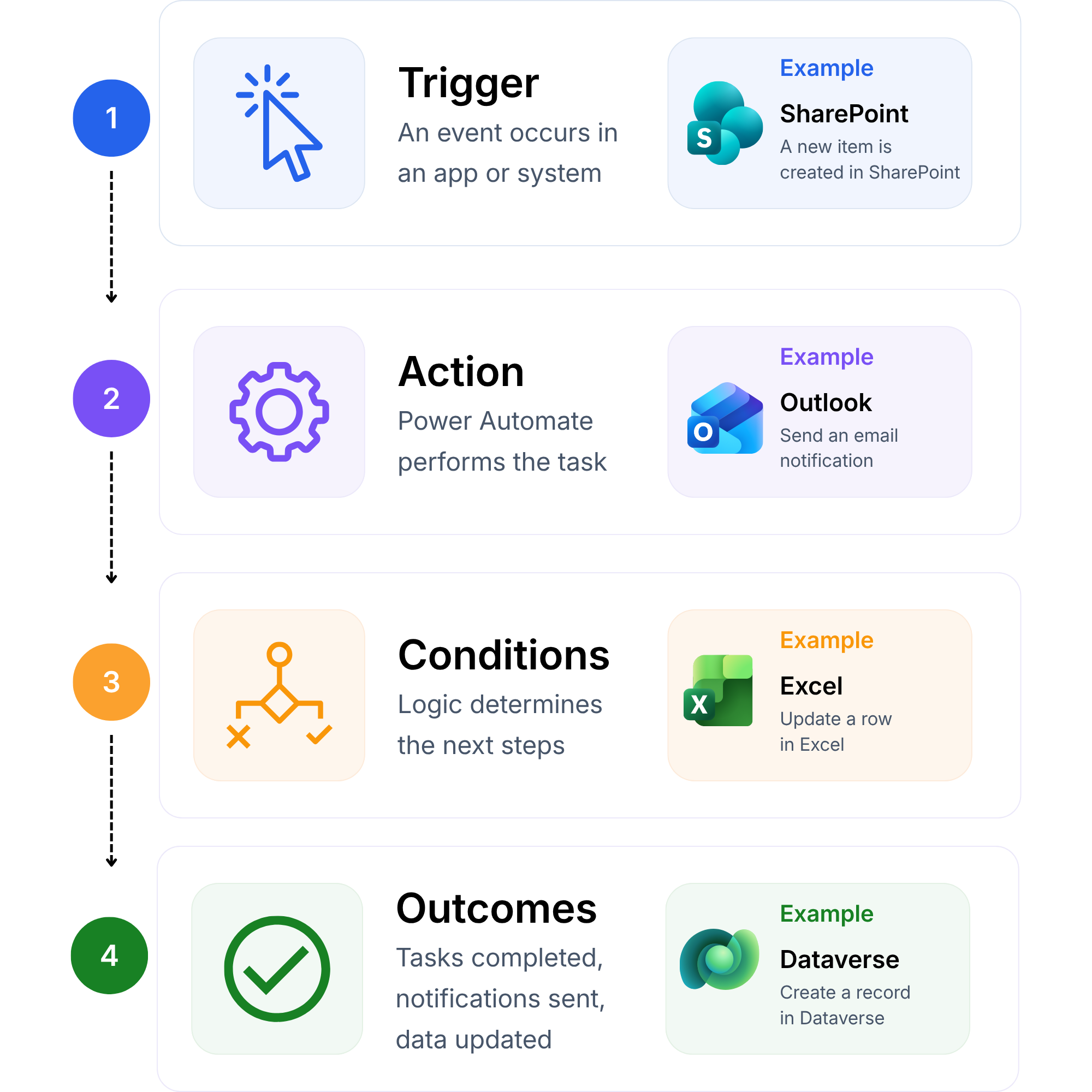
Microsoft Power Automate is a low-code platform for automating workflows. Each automated process is called a flow. Every flow follows the same four steps. A trigger starts it. Actions run. Conditions apply your business rules. The outcome is a finished task with no manual effort.

Cloud Flows

Automate processes across online applications and services.

Approvals, notifications and document routing

Triggers from email, forms, files and business events

Scheduled and on-demand flows

Connectors to Microsoft and third-party systems

Desktop Flows

Work in applications that have no integration option.

Robotic process automation (RPA) for older applications

Attended flows that help employees and unattended flows that run alone

Data entry and transfer without retyping

Take a purchase approval. A request arrives by email. That is the trigger. The flow reads the amount. That is the action. It checks the approval limit. That is the condition. It sends the request to the right manager and records the result. That is the outcome.

Four steps of a Power Automate flow: trigger, action, conditions and outcomes, with SharePoint, Outlook, Excel and Dataverse examples.

Connect Power Automate with Dynamics 365, Microsoft 365 and AI

Many organisations already own the software they need. Power Automate gets those applications to work together. Information moves without copying or re-entering data.

Microsoft 365 and Teams

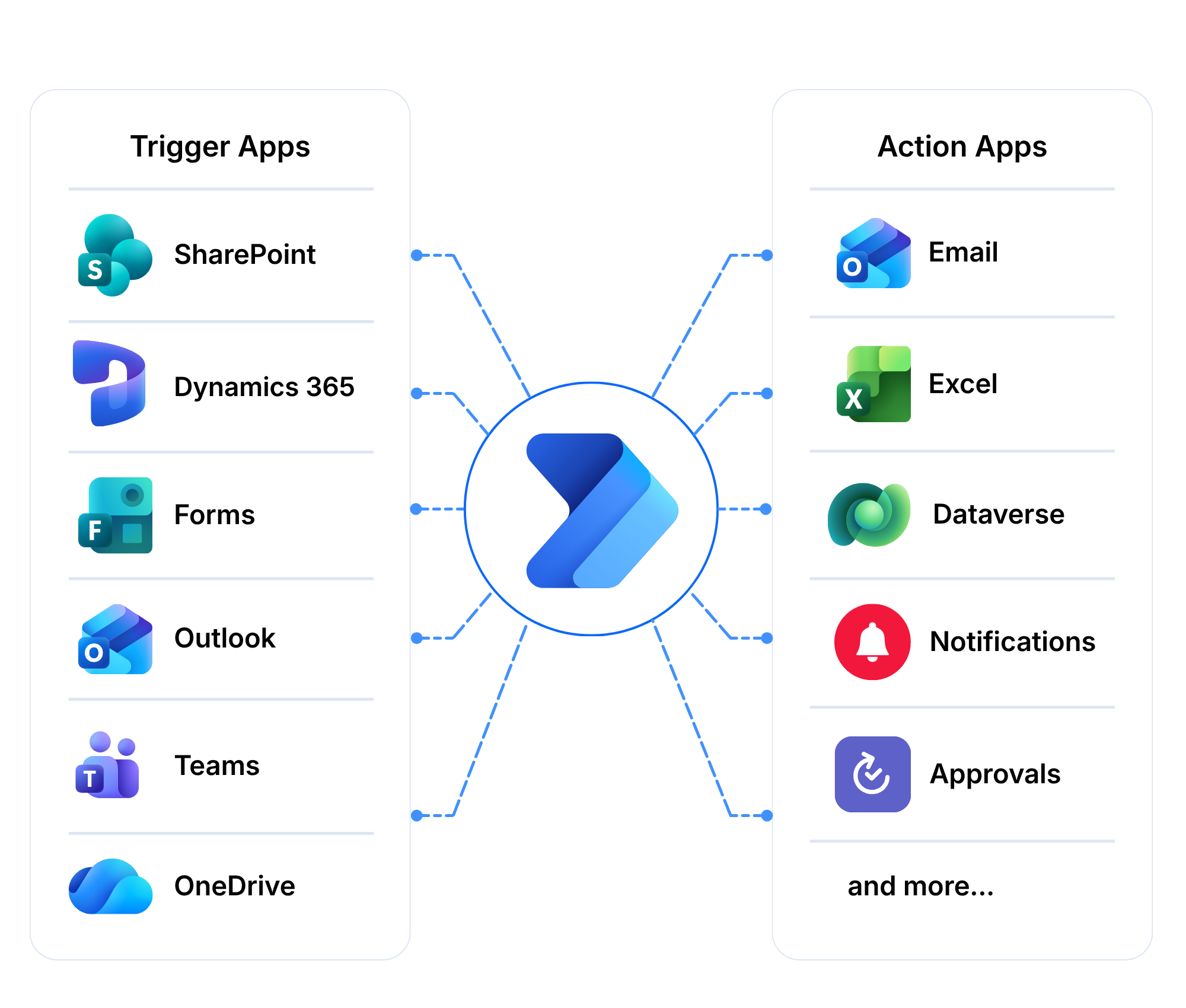
Flows triggered from SharePoint, Outlook, Forms and OneDrive

Approvals inside Teams

Reports with Power BI

Dynamics 365 and Dataverse

Automation around Dynamics 365 ERP and CRM data

Dataverse as the shared data layer

Third-Party Systems

Connectors to many business applications

Custom connectors for in-house applications

Copilot and AI Agents

Copilot assistance when building flows

Agents from Copilot Studio that start and use flows

PRIME agents built by 9 Dots

Frequently Asked Questions

What is Microsoft Power Automate?

Microsoft Power Automate is a low-code platform for automating workflows. It moves information between applications, routes approvals and sends notifications. You can also automate tasks in older desktop applications.

What is the difference between cloud flows and desktop flows?

Cloud flows connect online applications and services. Desktop flows automate screen-based tasks in applications that have no integration option. Many processes use both. We assess your process before recommending either.

Which processes should we automate first?

Start with routine tasks that follow clear rules. Purchase approvals and employee onboarding are common first steps. They remove the most administration for the least effort.

Can Power Automate connect to our existing systems?

Yes. Power Automate connects Microsoft products and many third-party systems through connectors. Custom connectors cover in-house applications. We design the automation around the systems you already use.

Can Power Automate use AI and Copilot?

Yes. Copilot can help you build flows. Agents from Copilot Studio can start and use flows. You can also add our PRIME AI agents.

How do we keep Power Automate flows secure and governed?

We set rules for who can build flows, which connectors they can use and where data can go. This keeps automation safe as more teams start building their own.

Do we need separate licences for Power Automate?

It depends on the flow type, the number of users and the connectors you use. Some Microsoft 365 and Dynamics 365 licences include limited Power Automate use. We review your licences and recommend the right plan.

Do you support Power Automate after go-live?

Yes. Our Managed Services and Support cover user support, updates, enhancements and monitoring.

Plan Your Power Automate Project

Tell us which process you want to automate and which systems it touches. Complete the form or email us. We reply within one business day.

Microsoft logo

Pengakuan Mitra Microsoft

Mitra Terkelola · Penyedia Solusi Cloud Tingkat 1 · Mitra Hijau ECIF

11

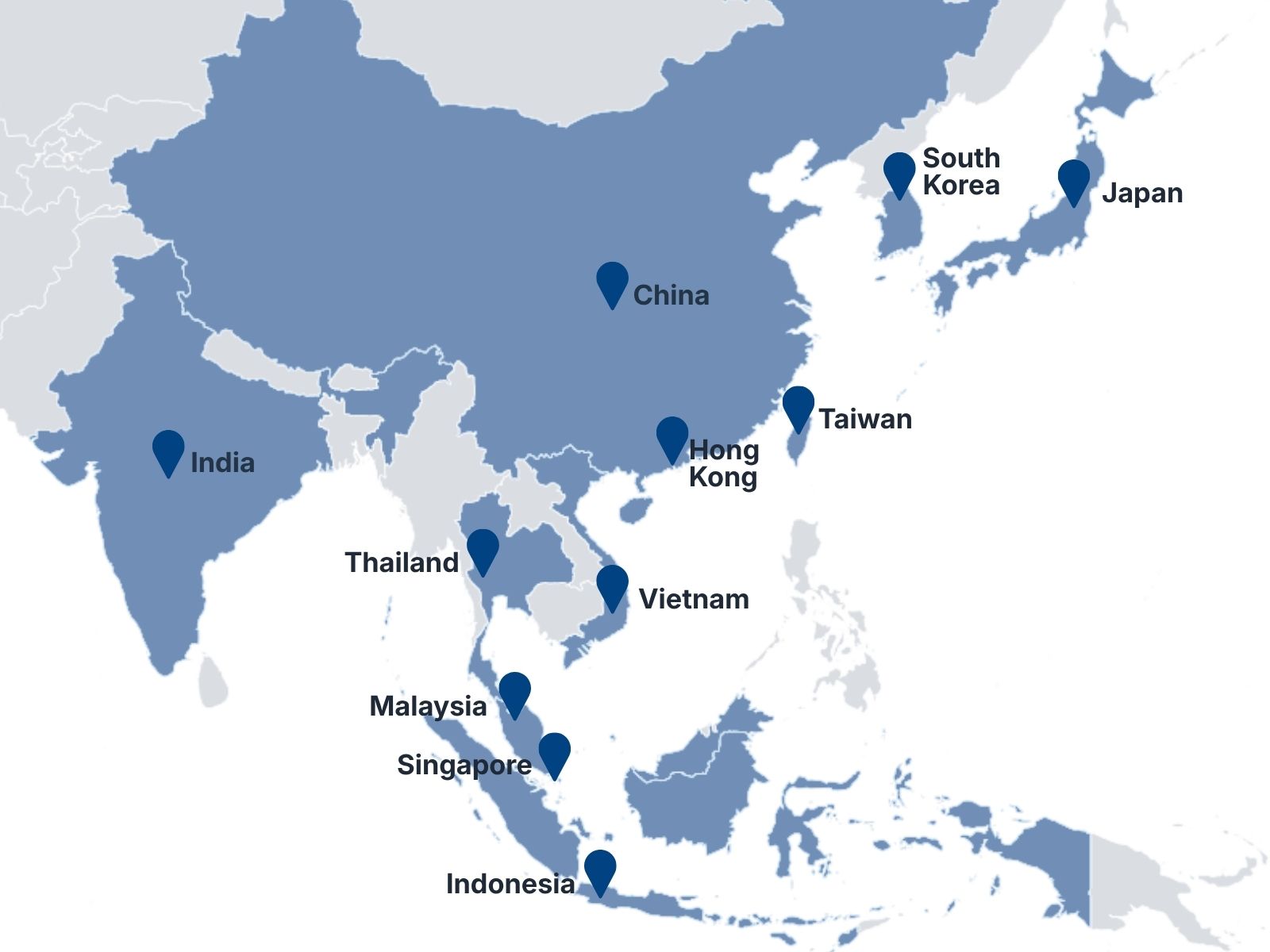
APAC Countries

250+

Anggota Tim

300+

Proyek yang Telah Diselesaikan

15+

Years of Experience

Map showing 9 Dots Consulting locations across 11 Asia-Pacific markets