Procure and manage Dynamics 365, Microsoft 365, Power Platform, Copilot and Azure through a Microsoft Managed Partner and Tier-1 Cloud Solutions Provider also known as a Direct CSP Partner. We help you select the right subscriptions and understand how licensing affects your user licenses, applications, Software as a Service (SaaS) and Azure cloud environment.
Microsoft licensing can vary by application, user role, device, tenant and required capacity. The right structure depends on what each person needs to do, which applications they access and how the wider Microsoft cloud environment is configured.
Our licensing specialists work alongside our Dynamics 365, Microsoft 365, Power Platform and Azure consultants. This means our recommendations consider the solution being implemented, the responsibilities of each user and the operational requirements of the business.
We can support new Microsoft cloud environments, existing subscriptions, licence renewals and organisations consolidating licences across multiple entities or countries.
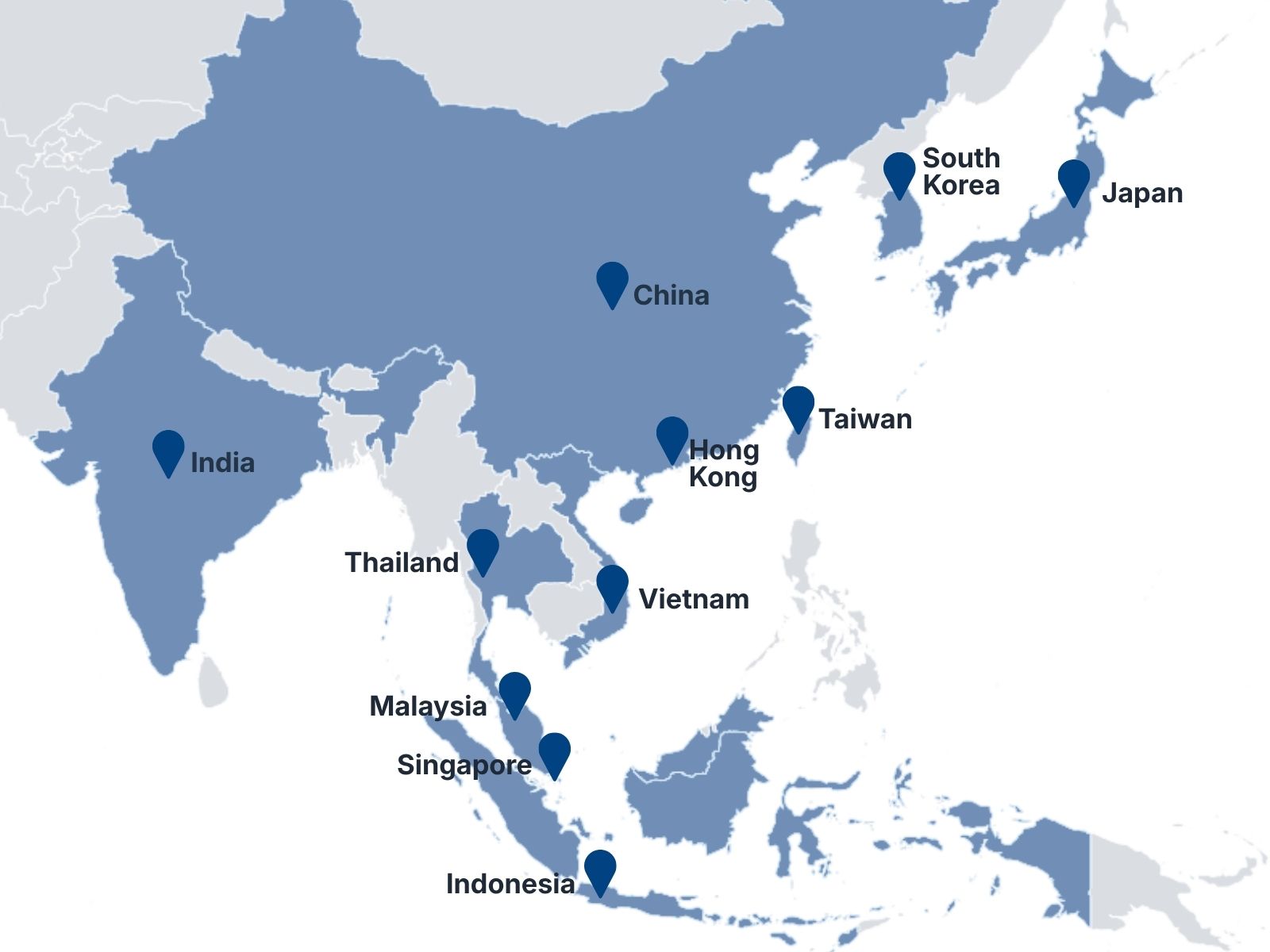
Our CSP transaction coverage currently includes Southeast Asian countries and Hong Kong. Licensing availability and commercial arrangements depend on the customer’s location, legal entity and Microsoft’s applicable territory requirements.
Licensing for ERP, CRM and business applications, including Business Central, Finance, Supply Chain Management, Project Operations, Commerce, Sales, Customer Service, Customer Insights, Contact Center and Field Service.
ERP · CRM · Field Service · Commerce
Subscriptions for productivity, collaboration, communication, security and workplace management across Microsoft 365.
Office Apps · Exchange · Word · PowerPoint · Excel · Teams · Security · Device Management
Licensing guidance for Microsoft 365 Copilot, Dynamics 365 Copilot capabilities, Copilot Studio and applicable usage-based services.
Microsoft Copilot · Microsoft 365 Copilot · Copilot Studio · AI Agents
Azure subscriptions and cloud services aligned with your infrastructure, application, data, security and AI requirements.
Infrastructure · Data · Integration · AI
Licensing for Power Apps, Power Automate, Power BI, Power Pages, Dataverse and Copilot Studio.
Applications · Automation · Analytics · Agents · Business Intelligence
Dynamics 365 applications can be licensed by named user, shared device or tenant. An organisation may use a combination of all three, depending on its operating model.
Assigned to a named person and used from any supported device. The appropriate licence depends on the applications and level of functionality that person requires.
Full-access licences for core application users
Team Members licences for designated light-use scenarios
Activity licences for selected operational tasks
Application-specific self-service licences
Base and Attach licensing for users who need multiple applications
Assigned to a dedicated shared device rather than an individual. These licences can be suitable for operational environments where several people use the same workstation or device.
Warehouse and production stations
Retail or service locations
Shared operational workstations
Individual or shared sign-in options, depending on the application
Full or limited functionality according to the licence selected
Applied at the organisational tenant level rather than assigned to one user or device. These can provide access to a service or increase the capacity available to the environment.
Dataverse database, file and log capacity
Transactions and service-specific allowances
Customer profiles or interactions
Electronic invoicing and invoice capture
Additional capacity for growing workloads
A user who requires full access to more than one qualifying Dynamics 365 application may be licensed through Microsoft’s Base and Attach model.
The qualifying combinations, prerequisites and commercial terms differ by application. We assess each user’s responsibilities before recommending the appropriate licence structure.
The user’s primary qualifying Dynamics 365 application. Every full-access user must have an appropriate Base licence.
An additional qualifying Dynamics 365 application licensed for the same named user. Attach licences generally provide the same application capabilities as the corresponding Base licence but are available only when the required Base licence is already assigned.
Review your applications, user roles, devices, environments and capacity requirements before licences are ordered.
Provide eligible Microsoft cloud subscriptions through our Tier-1 Cloud Solutions Provider relationship.
Manage licence additions, reductions, upgrades and application changes as your workforce and systems evolve.
Review upcoming commitments, current utilisation and future requirements before subscription renewal.
Identify duplicate, unused or unnecessarily high-level subscriptions and areas where the licence mix may need adjustment.
Provide a consistent point of contact for subscription queries, billing matters and licence administration.
Licensing should not be separated from solution design. A licence may appear suitable on paper but fail to provide the functionality, capacity or access required by the implemented system.
Our consultants understand how Microsoft applications are configured and used across Dynamics 365 applications for finance, supply chain, sales, customer service, operations and workplace environments. We assess licensing in the context of the complete solution rather than treating it as a standalone purchase.
Recognised by Microsoft as a FY27 Managed Partner in Singapore, Malaysia and Thailand, supported by regional delivery capability and experience across the Microsoft cloud portfolio.
Microsoft cloud subscriptions supplied and managed through a direct CSP relationship.
Licensing guidance informed by practical knowledge of Dynamics 365, Microsoft 365, Power Platform, Copilot and Azure.
Regional delivery and coordination supported by teams that understand local operating requirements across 11 Asia-Pacific locations.
Review your current subscriptions, business applications, users, devices and cloud environments.
Map required functionality and access levels to the relevant Microsoft licensing options.
Provide a proposed licence structure, including known prerequisites, capacities and subscription considerations.
Arrange the approved subscriptions and support licence assignment or environment preparation.
Coordinate subscription changes, renewals and ongoing licensing enquiries as requirements evolve.
No. Licensing depends on the applications each person uses and the tasks they perform. Some users require full application access, while others may qualify for Team Members, Activity, self-service or device-based licensing.
Yes. Microsoft’s Base and Attach model may apply when the same named user requires multiple qualifying Dynamics 365 applications. Eligibility depends on the selected application combination.
Device licensing may suit environments where several people use a dedicated shared device, such as a warehouse, production floor or service location. The permitted login method and functionality vary by application.
Some Microsoft subscriptions include defined storage, transaction or service capacity. Additional capacity may be required when usage exceeds the included entitlement.
Yes. We can review your existing licence estate, user allocation and anticipated requirements before recommending changes or a transition to CSP management.
Yes. We support regional organisations operating across Asia-Pacific. The appropriate commercial arrangement depends on the countries, legal entities, tenant structure and Microsoft purchasing requirements involved.
Licensing and implementation are separate scopes, but they can be coordinated. 9 Dots provides implementation, migration, integration and managed services across the Microsoft business applications portfolio.
New customers can purchase a qualifying Microsoft 365 plan and add Microsoft 365 Copilot. Existing customers with a qualifying Microsoft 365 subscription can purchase Copilot as an add-on through 9 Dots CSP.
Available AI features depend on the Microsoft 365 plan selected. These can include grammar and style suggestions through Microsoft Editor, Focused Inbox and suggested replies in Outlook, as well as live captions and meeting transcription in plans that include Teams.
Eligible business users signed in with Microsoft Entra ID can access Microsoft 365 Copilot Chat with enterprise data protection. Copilot Chat can use public web information for research and analysis, but it does not provide the same integration with organisational files, emails, chats and Microsoft 365 applications as a Microsoft 365 Copilot licence.
Businesses that need Copilot grounded in their organisational content and integrated with applications such as Word, Excel, PowerPoint, Outlook and Teams require an eligible Microsoft 365 plan with Microsoft 365 Copilot. Existing customers can purchase Microsoft 365 Copilot as an add-on.
Your data remains yours. Before cancelling a Microsoft 365 subscription, you should download and save any required email, documents and site content. Following cancellation, the associated data is generally retained in a limited-function account for 90 days so that authorised administrators can access and extract it. After the applicable retention period, Microsoft may delete the data.
The licensing lead’s 90-day statement is supported by Microsoft, but the precise subscription lifecycle can vary by product and cancellation status.
Whether you are planning a new implementation, approaching a renewal or reviewing an existing Microsoft environment, our team can help you understand the available options and develop a licensing structure aligned with your users, applications and operating requirements.
ไมโครซอฟท์แมเนจพาร์ทเนอร์ · ผู้ให้บริการโซลูชันคลาวด์ระดับเทียร์ 1 · พาร์ทเนอร์ ECIF สีเขียว
ที่ตั้งในเอเชียแปซิฟิก
ประเทศที่ให้บริการ
สมาชิกในทีม
โครงการที่ส่งมอบ