
AI AGENTS
Microsoft Copilot Studio Consulting
Your people answer the same questions every day. Microsoft Copilot Studio lets you create AI agents that answer them, guide users and complete routine tasks. We design, build, connect and support the agents.
Copilot Studio Agents • Knowledge Retrieval • Process Automation • PRIME AI Agents
From Question to Resolution.
Four steps. A person steps in when needed.
1
Understand
The agent reads the request and works out what the person needs.
2
Retrieve Knowledge
The agent finds answers in your documents, systems and trusted business data.
3
Take Action
The agent submits requests, updates records and starts workflows where appropriate.
4
Respond or Escalate
The agent replies in plain language and hands over to a person when a case needs one.
Support People Wherever They Need Assistance.
Start with one agent and expand across teams.
Customer Enquiries
Answer questions and provide account support.
HR Requests
Find policies and submit leave or HR requests.
Finance Questions
Check balances, approvals and financial information.
Operations Support
Track orders, inventory and operational updates.
IT Assistance
Resolve common issues and submit support requests.
Sales Enquiries
Qualify opportunities and schedule customer follow-ups.
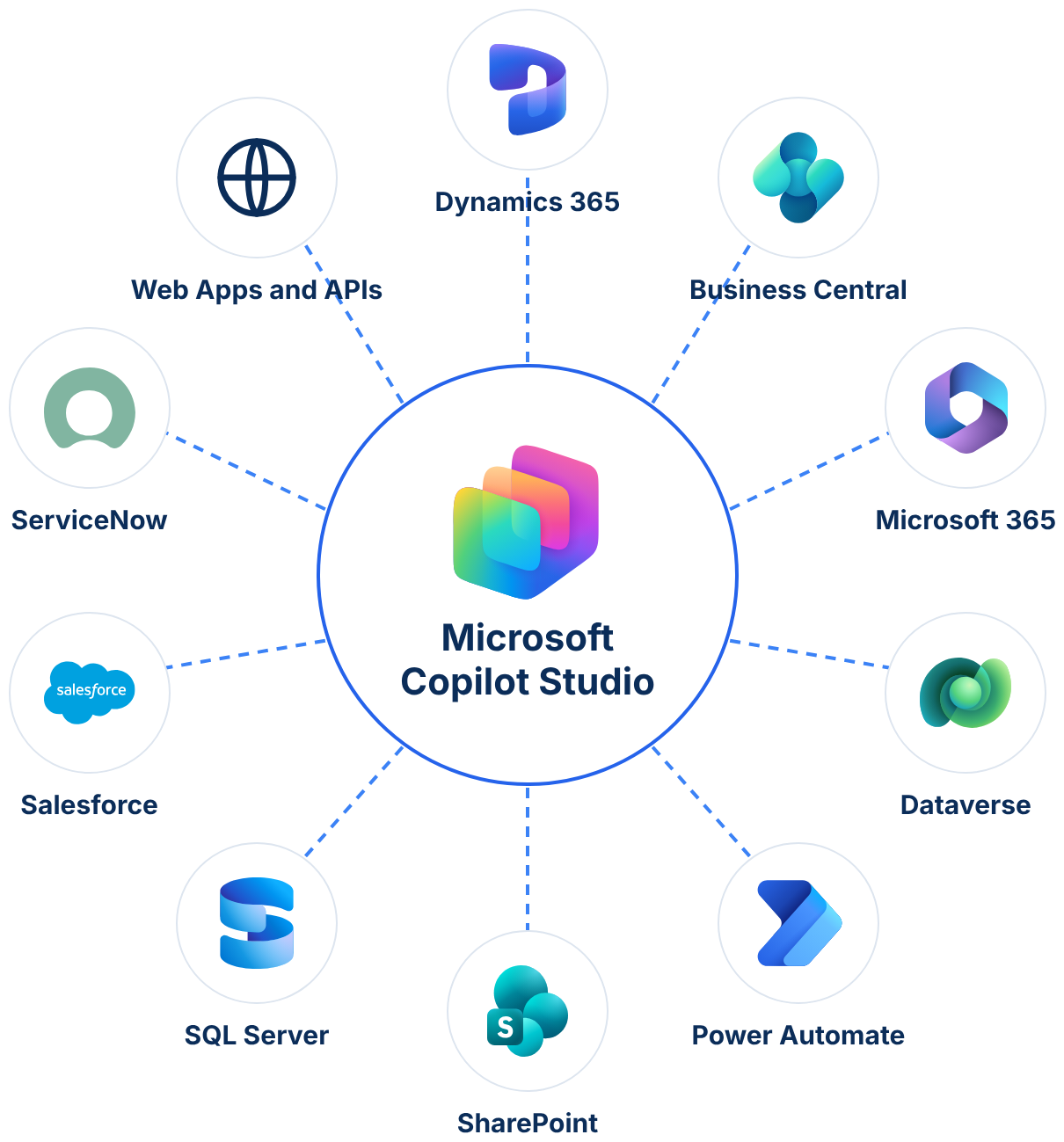
Connect Copilot Studio with Your Business Systems.
Agents use live data and follow your governance rules.
Agents that read Business Central, Finance and Supply Chain Management, and CRM data
Dataverse as the shared data layer
Answers drawn from SharePoint documents and Microsoft 365 content
Agents available in Teams
Flows that complete tasks for the agent
Connectors to third-party systems such as SAP, Oracle and SQL Server
Sign-in with Microsoft Entra ID
Existing access permissions applied automatically
Microsoft security and compliance for conversations and data

Looking to Apply AI Across Your Business?
Copilot Studio builds agents. PRIME supplies ready ones for ERP.
Questions About Microsoft Copilot Studio.
What is Microsoft Copilot Studio?
Microsoft Copilot Studio is a low-code platform for building AI agents. Copilot Studio agents answer questions, guide users and complete routine tasks using your Microsoft environment and business data. 9 Dots Consulting designs, builds and supports these agents for you.
What can a Copilot Studio agent do for our business?
An agent can answer customer and employee questions, find policies and documents, and check order or account details. An agent can also submit requests, start workflows and hand the case to a person when needed. 9 Dots Consulting designs each agent around the questions your people ask most.
Can Copilot Studio connect to our existing systems?
Yes. Copilot Studio connects to Dynamics 365, Microsoft 365, Dataverse and SharePoint. Copilot Studio also connects to other business systems through Power Platform connectors. 9 Dots Consulting designs the connections around the systems you already use.
Is our data secure in Copilot Studio?
Copilot Studio uses Microsoft security and identity. Users sign in with Microsoft Entra ID, and existing access permissions apply. 9 Dots Consulting designs each agent so people see only what they are allowed to see.
What is the difference between Copilot Studio and PRIME?
Copilot Studio is the Microsoft platform for building AI agents. PRIME is the 9 Dots Consulting library of pre-built agents for ERP operations. PRIME agents are built on Microsoft AI, including Copilot Studio.
Do you support Copilot Studio after go-live?
Yes. 9 Dots Consulting provides Application Management Services, which cover user support, updates, enhancements and monitoring.
How is Copilot Studio licensed?
Copilot Studio uses Copilot Credits. Credits are shared across your tenant and are not bought per user. 9 Dots Consulting estimates your usage and recommends the right capacity.
Plan Your Copilot Studio Project.
Tell us what people ask most. We reply within one business day.